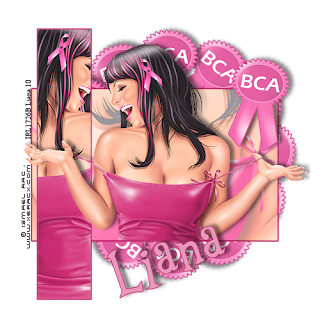
circular frames

here are some circular frames for you all this set contains 4 frames
feel free to recolor as you like
these are for personal use only
you can download : HERE
Posted by Liana at Wednesday, October 06, 2010 2 comments
Labels: freebie elements
BCA blog layout
just click on image then save
Posted by Liana at Wednesday, October 06, 2010 0 comments
Labels: blog layouts
BCA Pretty in Pink
Pretty in Pink (BCA)
[center]This tutorial is my design if it is similar in anyway to another tutorial this is totally coincidental.
i am using the fine art work of Ismeal Rac
this is one of his free tubes
you can find it Here
please make sure you have a licence for his work before you use it
Filters needed
Muras copies
font i used : Al young crafter
add drop shadows as you like
ok lets get started
open new image 500x500 transparent
open your tube of choice and select two colours from it
then go to your rectangle tool and make the lines 2 width
draw out your rectangle in the center of the imge and convert to raster
next draw another one smaller on the left hand side of the first you will want this length ways
you should have this now
[img]http://i869.photobucket.com/albums/ab251/mistofrosleen/Image1.png[/img]
now select inner part of the small rectangle add new layer and paste your tube as new layer
and move over selected then go to selections > invert > delete this should leave part of your tube on the rectange
selections > select none
now select the BCA ribbon that is with this tube or any BCA ribbon you have
go to effects > plug-ins > muras copies use these settings
Circle number - 12
tile mode
behind BG Color - pale pink
encircle
move your ribbons to the bottom layer
now go back to your large rectangle and select inner part using your magic wand
add new raster layer and now go to your tube using your crop tool cutyour tube you only want the brests once you have this done copy and paste into selected go to layer > dublicate
go to your layers section in the bottom right hand side of your psp go to blend mode bottom tube change to overlay and top tube to color (Legacy)
you should have this now
[img]http://i869.photobucket.com/albums/ab251/mistofrosleen/Image2.png[/img]
now go back to your tube
image > mirror
copy and paste as a new layer place it so it looks like it is sitting in the big rectangle, add drop shadow
now paste in the BCA ribbon of choice again move to the right hand corner and add drop shadow
now just add your copyright info and licence number merge visable and you are done
Thank you for trying my tut
Liana
[img]http://i869.photobucket.com/albums/ab251/mistofrosleen/ISmeal%20Rac/PRETTYINPINKBCA2liana.png[/img]
[/center]

Posted by Liana at Wednesday, October 06, 2010 0 comments
BT- MSK set 2

Here is another set of mask set 2 this set contains 10 masks in total please read my tou for my masks other then that please leave me some love
if you like these please download > http://www.megaupload.com/?d=105S6NV6
Posted by Liana at Saturday, July 24, 2010 2 comments
Labels: freebie mask sets
BT - MSK - set 1
if you like these please download >
http://www.megaupload.com/?d=WFFBG2OO
"target="new">HERE

Posted by Liana at Saturday, July 24, 2010 0 comments
Labels: freebie mask sets
frame set 2

here is a new frame set for you all
if you like it please click Here
Posted by Liana at Friday, July 16, 2010 0 comments
Labels: freebie elements
Fairytastic Blog layout
Posted by Liana at Friday, July 16, 2010 0 comments
Labels: blog layouts
Template 13

here is a new template this is template 13 this includes some word art which and be used either with or without the template but please remember this is for personal use only xx
if you like this template and would like to download it Please click HERE
Posted by Liana at Friday, July 16, 2010 0 comments
Blog layout 3
Posted by Liana at Sunday, May 30, 2010 0 comments
Labels: blog layouts
template 11-12
Posted by Liana at Sunday, May 30, 2010 0 comments
Janesko girls
This tutorial is my design if it is similar in anyway to another tutorial this is totally coincidental.
I'm using the gorgeous art of Jennifer Janesko.
You have to purchase a license.
if you do not have one you can get one
HERE
Supplies needed
template by myself
HERE
font used ATCitadelscript
HERE
Black Night kit from Jaelop Designs, thank you so much Jael.
you can download
HERE
OK lets get started,
Open new image 600x500.
Open template from your supplies,
Paste as a new layer, now open your tubes main tube in the centre as above,
Add drop shadow at these settings.
vertical -2
Horizontal -4
Opacity 50
Blur 6.00
Color : black
Now go back to your template layer and grab your magic wand and select all the sections of the template
and now open JD paper 4 and paste into selected now go to select none.
staying with your template layer and using your magic wand again select one section of the template and
add new raster layer copy a new tube and paste in to selected
Add drop shadow at these settings.
vertical -1
Horizontal -4
Opacity 50
Blur 6.00
Color : black
Repeat this for the next three sections of the template.
open the butterfly and add to the bottom left of your template add drop shadow duplicate and move to the top right.
Once you have this done add element 7 resize to fit behind your template now add element 10 ontop of the make sure you resize to fit
add drop shadow at the same settings above.
Add copyright info and licence number if required.
Thanks for trying my tut
Liana xx
Posted by Liana at Sunday, May 30, 2010 0 comments
Elias Girls
This tutorial is my design if it is similar in anyway to another tutorial this is totally coincidental.
I'm using the gorgeous art of Elias Chatzoudis .
You have to purchase a license.
if you do not have one you can get one
HERE
Supplies needed
HERE
Open new image 600x500.
Open template from your supplies,
Paste as a new layer, now open your tubes main tube in the centre as above,
Add drop shadow at these settings.
vertical -2
Horizontal -4
Opacity 50
Blur 6.00
Color : black
Now go back to your template layer and grab your magic wand and select one section of the template and
add new raster layer copy a new tube and paste in to selected
Add drop shadow at these settings.
vertical -1
Horizontal -4
Opacity 50
Blur 6.00
Color : white
Repeat this for the next three sections of the template.
Once you have this done add doodle of choice behind the template layer,
add drop shadow at the same settings above
vertical -1
Horizontal -4
Opacity 50
Blur 6.00
Color : black
Now duplicate and mirror.
Add copyright info and licence number if required.
Thanks for trying my tut
Liana xx[/center]
Posted by Liana at Saturday, May 29, 2010 0 comments
Blog lay out 2

here is a new bloglayout for you all hope yous like it xx
here is a preview
just click on image to get full scale and save
Posted by Liana at Thursday, May 06, 2010 0 comments
Labels: blog layouts


